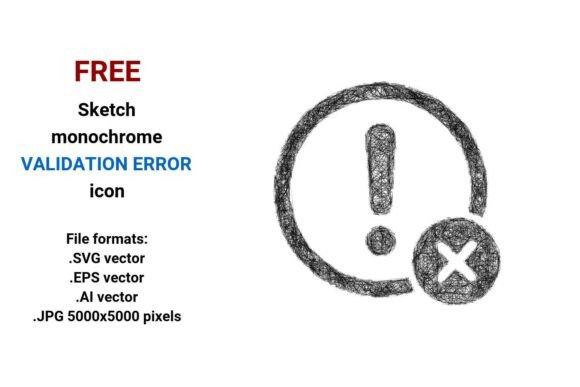
FREE Sketch Validation Error Icon: Simple, Scalable, and Ready for Real Projects
If you’ve ever spent 20 minutes tweaking a form error state—only to realize the icon looks pixelated on a retina screen or clashes with your brand’s hand-drawn aesthetic—you’ll appreciate what a FREE Sketch Validation Error Icon delivers: clarity without compromise. It’s not just another generic “X” in a circle. This is a deliberately loose, human-made sketch-style icon—black and white, line-art driven, and built for flexibility. And because it comes in four native formats (.SVG, .EPS, .AI, and high-res .JPG), it works whether you’re mocking up a dashboard in Figma, prepping assets for a Shopify checkout flow, or printing a troubleshooting guide for a workshop.
Where This Icon Fits—Without Forcing It
You don’t need a design degree to know when something feels off. A user types an email without an “@”, hits submit, and sees a stiff, overly polished red icon—they pause. But show them a clean, slightly imperfect sketch validation error icon, and the tone shifts: it’s honest, approachable, and quietly reassuring. That subtle difference matters most in places where trust and clarity intersect:
- E-commerce checkouts: When a customer enters an invalid ZIP code, the validation error button shouldn’t scream “failure.” A soft-lined sketch icon signals “let’s fix this together,” reducing cart abandonment.
- Educational dashboards: Teachers building LMS interfaces use these icons to flag incomplete fields in student submission forms—no jarring color contrast needed, just visual consistency with other hand-sketched UI elements.
- Startup pitch decks & prototypes: Founders sketching early wireframes often need placeholder icons that feel intentional—not stocky or sterile. A rough sketch icon conveys speed and iteration without looking unfinished.
- Printed troubleshooting guides: Small business owners creating laminated setup sheets for point-of-sale tablets use the 5000×5000 JPG version—it scales crisply from thumbnail to wall chart.
Why Vector Formats Matter More Than You Think
A vector image isn’t just “scalable”—it’s context-aware. Unlike raster files that blur or distort when resized, the FREE Sketch Validation Error Icon in .SVG, .EPS, or .AI retains crisp strokes at any dimension. That means:
- You can drop the .SVG directly into a React component and style its stroke width or color via CSS—no extra plugins or asset pipelines.
- Your designer opens the .AI file in Illustrator, adjusts the line weight to match your brand’s “stroke sketch icon” system, and saves a new variant in under two minutes.
- The .EPS version embeds cleanly into InDesign layouts for printed manuals—no font substitution warnings or missing layers.
- Even if you only use Canva or Google Slides, the 5000×5000 JPG gives you room to crop, zoom, and export sharp slides without hunting for higher-res alternatives.
This isn’t about technical bragging rights. It’s about eliminating friction: no re-exporting, no begging your dev team to “just make it work,” no last-minute panic before client review.
Real Users, Real Decisions
A freelance UX writer used the black white sketch version to annotate a Figma prototype for a mental health app. Why? Because their client—a nonprofit with limited dev bandwidth—needed clear, low-friction visual cues that wouldn’t compete with sensitive content. The sketch style softened the “error” message without diluting its purpose.
A small yoga studio owner added the line art sketch icon to her WordPress contact form (via a lightweight SVG injector plugin). No developer needed. She chose black-and-white to match her existing chalkboard-style illustrations—and because it loaded instantly on mobile, even with spotty café Wi-Fi.
An educator building an accessibility training module swapped out default Bootstrap error icons for this outline sketch icon. Learners with cognitive differences responded better to the consistent line weight and open negative space—it reduced visual noise during timed exercises.
What to Check Before You Drop It In
Even free, well-made assets need thoughtful placement. Ask yourself:
- Does it align with your existing visual language? If your site uses bold, geometric icons, a delicate scribble might feel disconnected—unless you’re intentionally introducing warmth or contrast.
- Is the stroke weight legible at your smallest intended size? At 16px, fine sketch lines may vanish. Test the .SVG at actual usage sizes—not just in your design tool’s zoom view.
- Will users understand it without text? While “validation error” is clear to designers, some audiences benefit from pairing the icon with microcopy like “Please enter a valid phone number.”
- Are you using the right format for your stack? Developers integrating into web apps should prefer .SVG; print designers need .EPS or .AI for CMYK control; bloggers or Canva users will lean on the high-res JPG.
More Than Just an Icon—It’s a Tone-Setting Tool
Icons communicate before words do. A validation error drawing made with pen-on-paper energy tells users, “We see you tried. Let’s try again—gently.” That’s why marketers use it in onboarding flows, why educators choose it for feedback-heavy platforms, and why product teams reach for it when refining error states in beta testing.
It’s also editable by design—not just in theory. Open the .AI file and tweak anchor points to exaggerate the “X” for emphasis. Import the .SVG into Figma and recolor it to match your dark mode palette. Duplicate the .JPG and overlay a subtle texture in Photoshop for a tactile newsletter header.
And because it’s truly free—no watermarks, no attribution required, no email gate—you keep full creative control. No surprise licensing limits. No “premium upgrade” pop-ups mid-project.
When Simplicity Serves Your Goals Best
You don’t always need motion, gradients, or 3D depth to make an interface feel alive. Sometimes, what users need is recognition—not decoration. A simple sketch icon cuts through complexity. It says, “This field needs attention,” without shouting. It fits into a fintech dashboard alongside data charts, sits comfortably beside handwritten notes in a Notion template, and holds up next to sleek product photography on an ecommerce homepage.
If you’re choosing between polished perfection and quiet usefulness, go with the sketch. Especially when it’s free, vector-based, and built for real workflows—not just art boards.